Storage Pool
In the VMX environment, a storage pool acts as a dedicated container that maps physical or logical storage on the host to the virtualization layer. This abstraction allows for easier organization and allocation of resources to multiple Virtual Machines.
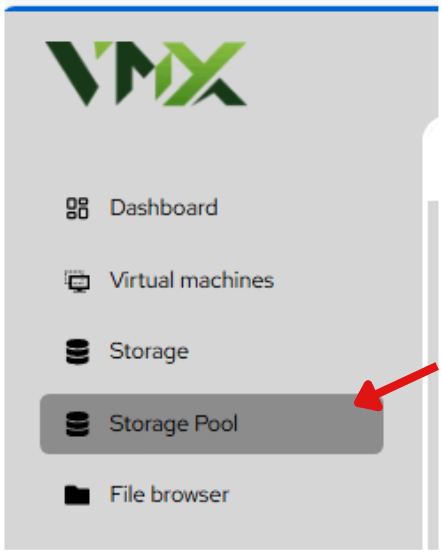
Steps To Follow:
- Click on Storage Pool menu from the list. It will navigate you to the Storage Pool page.
Creating a New Storage Pool
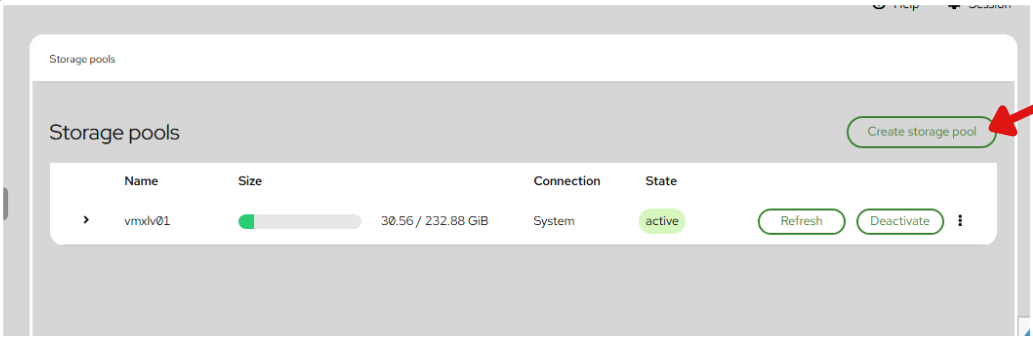
- Click on Create Storage Pool button from the list.
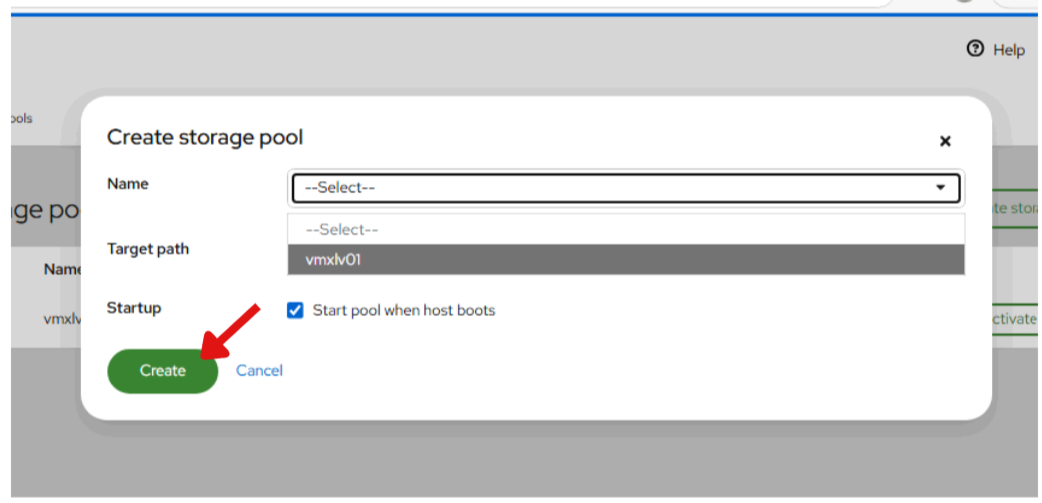
- Enter the following fields:
- Name: A descriptive name for the pool. It is recommended to use naming conventions that reflect the storage type, such as
ssd-poolorhdd-backups. - Target Path: The directory on the physical host where the pool’s data will be stored. You can select existing directories like
vmxlv01from the dropdown. - Startup: Start pool when host boots — When checked, this ensures the storage is automatically available to the hypervisor as soon as the server starts. This is critical for VMs set to Autostart.
- Click on Create button from the list.